
modelChangeCells
Validation sequence of identifying cells that should change status
Information
This example validates
Buildings.Controls.OBC.ASHRAE.G36.Plants.Chillers.Towers.Staging.Subsequences.ChangeCells.
It shows the process of enabling and disabling tower cells
according to the input uCelNum that specifies
total number of cells that should be enabled.
Note that this sequence assumes that the cells are enabled sequentially as 1, 2, 3, etc. Thus, for example if it requires two enabled cells, cell 1 and 2 will be enabled. While if it requires three enabled cell, cell 1, 2 and 3 will be enabled.
-
Before 2000 seconds, the input
uCelNumequals 2. Thus the first two cells are enabled,uTowSta[1]=trueanduTowSta[2]=true. -
From 2000 seconds to 2800 seconds, the input
uCelNumequals 3. Thus the first three cells are enabled,uTowSta[1]=true,uTowSta[2]=true, anduTowSta[3]=true -
From 2800 seconds to 3200 seconds, the input
uCelNumbecomes 2 again. Thus the first two cells are enabled,uTowSta[1]=true, anduTowSta[2]=true. The third cell becomes disabled,uTowSta[3]=false. -
After 3200 seconds, the input
uCelNumequals 1. Thus only one cell should be enabled,uTowSta[1]=true.
Components
| Type | Name | Default | Description |
|---|---|---|---|
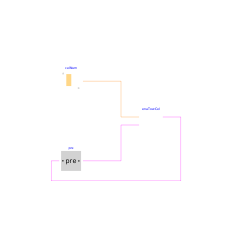
| Buildings.Controls.OBC.ASHRAE.G36.Plants.Chillers.Towers.Staging.Subsequences.ChangeCells | enaTowCel | Find enabling cells | |
| Buildings.Controls.OBC.CDL.Integers.Sources.TimeTable | celNum | Number of cell that should be enabled | |
| Buildings.Controls.OBC.CDL.Logical.Pre[4] | pre | Current tower cell status |
Revisions
-
July 26, 2022, by Jianjun Hu:
First implementation.