modelMultiLayer
Extends from Buildings.HeatTransfer.Conduction.BaseClasses.PartialConductor (Partial model for heat conductor), Buildings.HeatTransfer.Conduction.BaseClasses.PartialConstruction (Partial model for multi-layer constructions).
Information
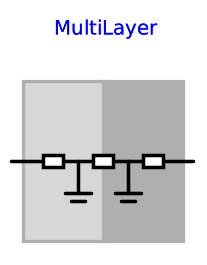
This is a model of a heat conductor with multiple material layers and energy storage. The construction has at least one material layer, and each layer has at least one temperature node. The layers are modeled using an instance of Buildings.HeatTransfer.Conduction.SingleLayer. See this model for an explanation of the equations that are applied to each material layer.
Important parameters
The construction material is defined by a record of the package Buildings.HeatTransfer.Data.OpaqueConstructions. This record allows specifying materials that store energy, and material that are a thermal conductor only with no heat storage. To assign the material properties to this model, do the following:
- Create an instance of a record of Buildings.HeatTransfer.Data.OpaqueConstructions, for example by dragging the record into the schematic model editor.
-
Make sure the instance has the attribute
parameter, which may not be assigned automatically when you drop the model in a graphical editor. For example, an instanciation may look likeparameter Data.OpaqueConstructions.Insulation100Concrete200 layers "Material layers of construction" annotation (Placement(transformation(extent={{-80,60},{-60,80}}))); - Assign the instance of the material to the instance of the heat transfer model as shown in Buildings.HeatTransfer.Examples.ConductorMultiLayer.
The parameters stateAtSurface_a and
stateAtSurface_b
determine whether there is a state variable at these surfaces,
as described above.
Note that if stateAtSurface_a = true,
then there is temperature state on the surface a with prescribed
value, as determined by the differential equation of the heat conduction.
Hence, in this situation, it is not possible to
connect a temperature boundary condition such as
Buildings.HeatTransfer.Sources.FixedTemperature as this would
yield to specifying the same temperature twice.
To avoid this, either set stateAtSurface_a = false,
or place a thermal resistance
between the boundary condition and the surface of this model.
The same applies for surface b.
See the examples in
Buildings.HeatTransfer.Examples.
Parameters
| Type | Name | Default | Description |
|---|---|---|---|
| Modelica.Units.SI.Area | A (from PartialConductor) | Heat transfer area | |
| Modelica.Units.SI.CoefficientOfHeatTransfer | U (from PartialConductor) | UA/A | U-value (without surface heat transfer coefficients) |
| Modelica.Units.SI.ThermalConductance | UA (from PartialConductor) | 1/R | Thermal conductance of construction (without surface heat transfer coefficients) |
| Modelica.Units.SI.ThermalResistance | R (from PartialConductor) | Thermal resistance of construction | |
| Buildings.HeatTransfer.Data.OpaqueConstructions.Generic | layers (from PartialConstruction) | Construction definition from Data.OpaqueConstructions | |
| Integer | nLay (from PartialConstruction) | size(layers.material, 1) | Number of layers |
| Integer[nLay] | nSta (from PartialConstruction) | {layers.material[i].nSta for i in 1:nLay} | Number of states |
| Initialization | |||
| Boolean | steadyStateInitial (from PartialConstruction) | false | =true initializes dT(0)/dt=0, false initializes T(0) at fixed temperature using T_a_start and T_b_start |
| Modelica.Units.SI.Temperature | T_a_start (from PartialConstruction) | 293.15 | Initial temperature at port_a, used if steadyStateInitial = false |
| Modelica.Units.SI.Temperature | T_b_start (from PartialConstruction) | 293.15 | Initial temperature at port_b, used if steadyStateInitial = false |
| Dynamics | |||
| Boolean | stateAtSurface_a | true | =true, a state will be at the surface a |
| Boolean | stateAtSurface_b | true | =true, a state will be at the surface b |
Connectors
| Type | Name | Default | Description |
|---|---|---|---|
| Modelica.Thermal.HeatTransfer.Interfaces.HeatPort_a | port_a (from PartialConductor) | Heat port at surface a | |
| Modelica.Thermal.HeatTransfer.Interfaces.HeatPort_b | port_b (from PartialConductor) | Heat port at surface b |
Components
| Type | Name | Default | Description |
|---|---|---|---|
| Modelica.Units.SI.TemperatureDifference | dT (from PartialConductor) | port_a.T - port_b.T | |
| Modelica.Units.SI.Temperature[sum(layers.nSta)] | T | Temperature at the states | |
| Modelica.Units.SI.HeatFlowRate[sum(layers.nSta) + nLay] | Q_flow | Heat flow rate from state i to i+1 |
Revisions
-
October 16, 2017, by Michael Wetter:
Corrected wrong result variableRandUA. These variables are only used for reporting. All other calculations were not affected by this error. -
January 05, 2017, by Thierry S. Nouidui:
Removed parameternSta2. -
November 17, 2016, by Thierry S. Nouidui:
Added parameternSta2to avoid translation error in Dymola 2107. This is a work-around for a bug in Dymola which will be addressed in future releases. -
October 29, 2016, by Michael Wetter:
Added option to place a state at the surface.
This is for issue 565. -
September 24, 2015 by Michael Wetter:
Set the start value ofT. This is for issue 426. -
March 18, 2015, by Michael Wetter:
ReplacednLayin thesum()of the parameter assignment withsize(layers.material, 1)to avoid incorrect results in OpenModelica. See github note. -
March 13, 2015, by Michael Wetter:
Changed assignment ofnLayto avoid a translation error in OpenModelica. -
October 15, 2014, by Michael Wetter:
Changed assignment ofRto be in theextendsstatement to avoid a division by zero in OpenModelica. -
September 9, 2014, by Michael Wetter:
Reverted change from March 1 2013 as this causes an error during model check in Dymola 2015 FD01 beta1. -
August 12, 2014, by Michael Wetter:
Reformulated the protected elements and the model instantiation to avoid a warning in the OpenModelica parser. -
March 1, 2013, by Michael Wetter:
Removedinitial equationsection and assigned the protected parameters_T_a_startand_T_b_startdirectly to avoid a warning during translation. -
March 6 2010, by Michael Wetter:
First implementation.