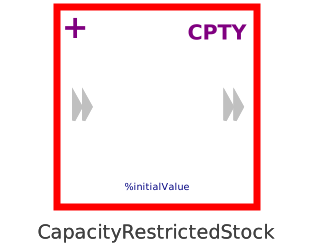
modelCapacityRestrictedStock
Extends from Interfaces.PartialStocks.BasicStock (Unrestricted reservoir to store information), Icons.MaterialStockIndicator (General Icon for stocks), Icons.CapacityLabel (Mark stock element as having capacity restrictions).
Information
This information is part of the Business Simulation Library (BSL). Please support this work and ► donate.
This is a restricted reservoir of the system dynamics methodology, which accumulates material (i.e., countable entities, some form of matter) transported by flow components connected to the component's StockPorts. Like a MaterialStock the CapacityRestrictedStock can never become negative—we are not collecting "antimatter"—and will prevent connected flow components from draining its value below zero. Unlike other stocks, minCapacity and maxCapacity are seen as capacity restrictions that for "physical" reasons cannot be violated—the restrictions can be given as either constant parameters (minValue, maxValue) or as variable inputs (u_min, u_max). Accordingly, the component will signal flow restrictions via its port that must be observed by connected flow components.
Implementation
The value of the stock will be set to zero if the calculated value x is less than a very small positive amount and if reinitializeStock = true is chosen in the Advanced tab:
  if reinitializeStock then
    when x < 0 then
      reinit(x, 0);
    end when;
  end if;
CapacityRestrictedStock components will prevent connected flows from draining the stock via their →StockPort connectors' Boolean flags, should the calculated state variable x be less than a very small positive amount:
  inflow.stopInflow = not x < maxCapacity - BusinessSimulation.Constants.small;
  outflow.stopInflow = inflow.stopInflow;
  inflow.stopOutflow = not x > minCapacity + BusinessSimulation.Constants.small;
  outflow.stopOutflow = inflow.stopOutflow;
Notes
- The
inflowandoutflow→StockPorts are only indicative; in general the reservoir may be filled or drained by flows connected to either port. - The capacity restrictions are also used to define an admissable range than can be monitored by an
assertusinguseAssert = truein the Advanced tab. The switchcauseErrorcontrols whether an error or a warning is to be raised.
- The parameter
initallows to select →InitializationOptions:
- FixedValue (default) will use the parameter
initialValueto determine the initial value. - SteadyState will introduce the equation
der(x) = 0in order to find an initial value that establishes equilibrium.
(Note: Such a solution may not exist and to avoid trivial solution in many casesinitialValue-- in this case used as a start value for numerical iteration -- should be set to a value different from zero.) - Free there will be no initial equation and thus the solver is free in solving the initial value problem.
- FixedValue (default) will use the parameter
- There is an optional →StockInfoOutput connector.
See also
Parameters
| Type | Name | Default | Description |
|---|---|---|---|
| OutputType | initialValue (from BasicStock) | 0 | Initial level (should be different from 0 to find non-trivial steady state solution) |
| OutputType | maxValue (from BasicStock) | inf | Maximum admissable value |
| OutputType | minValue (from BasicStock) | -inf | Minimum admissable value |
| Advanced | |||
| InitializationOptions | init (from GenericStock) | InitializationOptions.FixedValue | Provide InitializationOptions (Free, FixedValue, SteadyState) |
| Boolean | useAssert (from BasicStock) | false | = true, if leaving the admissable range is to cause an error or warning |
| Boolean | causeError (from BasicStock) | true | = true, if leaving the admissable range is to cause an error instead of simply a warning |
| Boolean | reinitializeStock | false | = true, if the stock is to be reinitalized to guarante nonnegativity |
| Structural Parameters | |||
| Boolean | hasStockInfoOutput (from GenericStock) | false | = true, if a StockInfoOutput should be added to the stock |
| Boolean | hasVariableAdmissableRange | false | =true, if capacity restrictions are to be given by the variable inputs u_min and u_max |
Connectors
| Type | Name | Default | Description |
|---|---|---|---|
| StockPort | inflow (from GenericStock) | Inflow port of the stock | |
| StockPort | outflow (from GenericStock) | Outflow port of the stock | |
| StockInfoOutput | y_stockInfo (from GenericStock) | Optional StockInfoOutput | |
| Interfaces.Connectors.RealInput | u_min | Variable minimum value to be monitored | |
| Interfaces.Connectors.RealInput | u_max | Maximum value input |
Components
| Type | Name | Default | Description |
|---|---|---|---|
| RealOutput | y (from ThreeSO) | Level or rate information | |
| RealOutput | y1 (from ThreeSO) | Level or rate information | |
| RealOutput | y2 (from ThreeSO) | Level or rate information | |
| ModelSettings | modelSettings (from BasicStock) |