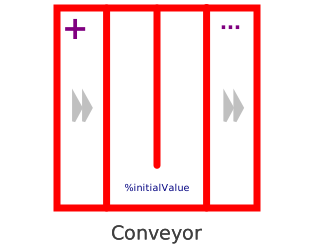
modelConveyor
Extends from Icons.Conveyor (Icon for conveyor stocks), Icons.DiscreteStockLabel (Mark stock element as discrete), Interfaces.Basics.GenericStock_Special (Generic Stock with internal dynamics).
Information
This information is part of the Business Simulation Library (BSL). Please support this work and ► donate.
The Conveyor (aka pipeline delay) bevhaves as one would expect a conveyor belt to work: What flows into the Conveyor will flow out after a period given by delayTime or the variable input u has passed. The order of outflow will preserve the order of inflow, i.e., when the delay time increases or decreases during the simulation, then it will affect everything that is currently "loaded" on the conveyor in the same way. Therefore, material might come out at the same time as material that had entered before, but it can never overtake older entries (this would be possible in a PureDelay).
Implementation
The Conveyor will work at discrete time intervals:
when sample(modelSettings.modelStartTime + samplingPeriod, samplingPeriod) then
  // load new material onto conveyor, move loaded material, unload material
end when;
The values for the in- and outflows and the load will be kept constant between events.
Notes
- All inflows have to go to the
inflowport of the Conveyor. - Since the outflow will be controlled by the Conveyor, →
OutflowDynamicStockor →SplitOutflowDynamicStockhave to be connected to theoutflowport. - Using more than one outflow (e.g., →
SplitOutflowDynamicStock) can be used to model leaking. - The parameter
initin the Advanced tab allows to select →InitializationOptions:- FixedValue (default) will initialize the stock according to value given by the parameter
initialValue. - SteadyState will use Little's Law to determine the equilibrium start value as
inflow.rate * delayTime - Free tells the solver that it is free in solving the initial value problem using initialValue as
startValue.
- FixedValue (default) will initialize the stock according to value given by the parameter
- The Conveyor behaves exactly like the PureDelay or the SimpleConveyor when there is a constant delay time; the Conveyor stock can deal with variable delay times and will preserve order of entry.
See also
Parameters
| Type | Name | Default | Description |
|---|---|---|---|
| OutputType | initialValue | 0 | Initial load |
| Time | delayTime | 1 | Constant delay time (optional) |
| Time | maxDelayTime | 10 | Maximum delay time (to restrict memory usage) |
| Advanced | |||
| InitializationOptions | init (from GenericStock_Special) | InitializationOptions.FixedValue | Provide InitializationOptions (Free, FixedValue, SteadyState) |
| Time | samplingPeriod | modelSettings.samplingPeriod | Sampling period for discrete behavior (should be smaller than dt/2) |
| Boolean | strict | true | = true, if strict limits with noEvent(..) (clippedDelayTime.strict) |
| Structural Parameters | |||
| Boolean | hasStockInfoOutput (from GenericStock_Special) | false | = true, if a StockInfoOutput should be added to the stock |
| Boolean | hasConstantDelayTime | true | = true, if the delay time is to be given by a constant parameter |
| Boolean | hasExogenousHistory | false | =true, if the outflow-profile for the initial load is to be given by an external lookup function |
Connectors
| Type | Name | Default | Description |
|---|---|---|---|
| StockPort | inflow (from GenericStock_Special) | Inflow port of the stock | |
| StockPort_Special | outflow (from GenericStock_Special) | Special outflow port of the stock (stock sets rate) | |
| StockInfoOutput | y_stockInfo (from GenericStock_Special) | Optional StockInfoOutput | |
| Interfaces.Connectors.RealInput | u | Delay time input (optional) |
Components
| Type | Name | Default | Description |
|---|---|---|---|
| RealOutput | y (from ThreeSO) | Level or rate information | |
| RealOutput | y1 (from ThreeSO) | Level or rate information | |
| RealOutput | y2 (from ThreeSO) | Level or rate information | |
| ModelSettings | modelSettings |