
modelZoneCreateOutputs
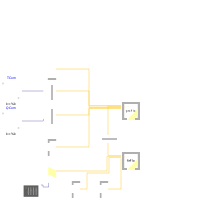
Extends from ZoneLinearise (Test for linearisation).
Information
LIDEAS.Examples.zoneExampleCreateOutputs is an extension of LIDEAS.Examples.zoneExample. This model contains a command Create outputs; to generate an input file which can be used to simulate the linearized model in a non-modelica environment. The command points at LIDEAS/LIDEAS/Resources/Scripts/createOutputs.mos, which contains the following simulation command:
experimentSetupOutput(inputs=false,outputs=true,auxiliaries=false,equidistant=true,events=false);
simulateModel("LIDEAS.Examples.ZoneExampleCreateOutputs", startTime=0, stopTime=3.14e7, method="Euler", numberOfIntervals=0, outputInterval=1200, fixedstepsize=10, resultFile="outputs");
The second command simulates the model for a full year and produces a sample for the inputs every 1200 seconds and saves the resulting outputs to outputs.mat. This example uses Euler integration with a fixed step size of 10 seconds. The output interval, step size and integrator can be changed by the used, these settings are not specific to the linearisation approach. The second command simulates the model for a full year and produces a sample for the inputs every 1200 seconds and saves the resulting outputs to outputs.mat. This example uses Euler integration with a fixed step size of 10 seconds. The output interval, step size and integrator can be changed by the used, these settings are not specific to the linearisation approach. The first command defines the settings which ensure that only the outputs of the example model are saved to file at equidistant time interval. This setting is not absolutely required, but it avoids the generation of excessively large input files, which may occur when saving outputs at regular intervals. E.g. saving a sample every 1200 s will lead to a result file containing 26250 time intervals, which is much more than the Dymola default of 500.
Parameters
| Type | Name | Default | Description |
|---|---|---|---|
| Integer | nZones (from ZoneLinearise) | 2 | Number of zone |
| Integer | nEmb (from ZoneLinearise) | 1 | Number of embbed systems |
Connectors
| Type | Name | Default | Description |
|---|---|---|---|
| IDEAS.Buildings.Components.Interfaces.WindowBus | winBusIn (from LinearisationInterface) | ||
| IDEAS.Buildings.Components.Interfaces.WeaBus | weaBus (from LinearisationInterface) | ||
| IDEAS.Buildings.Components.Interfaces.WindowBus | winBusOut (from LinearisationInterface) | Dummy for getting outputs | |
| IDEAS.Buildings.Components.Interfaces.WeaBus | weaBusOut (from LinearisationInterface) |
Components
Revisions
-
April 5, 2018 by Damien Picard:
First implementation.