
modelZoneWithInputsLinearise
Extends from ZoneLinearise (Test for linearisation).
Information
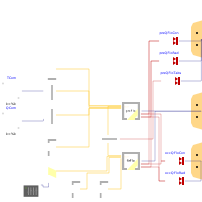
This model illustrates how to add control inputs to the linearised model. Control inputs are inputs which will be decided by the user / controller. Additionally, prescribed inputs are added. Prescribed inputs are inputs which can be precomputed as they are known in advance (i.e. internal gains due to occupancy). Finally, the outputs bus should include all variables that the user wants to output from the linearised model.
The ctrlInputs, outputs and prescribed buses can be adapted to the user's need. However, the names ctrlInputs, outputs, and prescribed should remain unchanged such that it is compatible with the model creating the outputs.
In order to linearise the model, use the command Linearise from the Dymola Commands menu.
Parameters
| Type | Name | Default | Description |
|---|---|---|---|
| Integer | nZones (from ZoneLinearise) | 2 | Number of zone |
| Integer | nEmb (from ZoneLinearise) | 1 | Number of embbed systems |
| Boolean | validation | false | Set to true to keep the prescribed heat flows even when sim.linearize is false. This is used for models in LIDEAS.Validation. |
Connectors
| Type | Name | Default | Description |
|---|---|---|---|
| IDEAS.Buildings.Components.Interfaces.WindowBus | winBusIn (from LinearisationInterface) | ||
| IDEAS.Buildings.Components.Interfaces.WeaBus | weaBus (from LinearisationInterface) | ||
| IDEAS.Buildings.Components.Interfaces.WindowBus | winBusOut (from LinearisationInterface) | Dummy for getting outputs | |
| IDEAS.Buildings.Components.Interfaces.WeaBus | weaBusOut (from LinearisationInterface) | ||
| Components.BaseClasses.Inputs | ctrlInputs | Control inputs | |
| Components.BaseClasses.Outputs | outputs | Outputs | |
| Components.BaseClasses.Prescribed | prescribedIn | Prescribed inputs which do not depend on the model states value (e.g. heat flow from occupancy) |
Components
Revisions
-
April 5, 2018 by Damien Picard:
First implementation.