
modelFilter
Demonstrates the Continuous.Filter block with various options
Extends from Modelica.Icons.Example (Icon for runnable examples).
Information
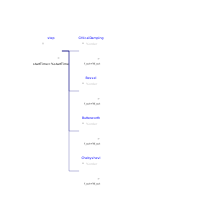
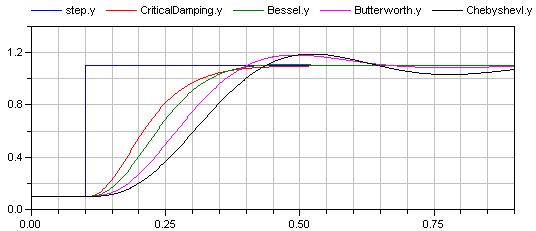
This example demonstrates various options of the Filter block. A step input starts at 0.1 s with an offset of 0.1, in order to demonstrate the initialization options. This step input drives 4 filter blocks that have identical parameters, with the only exception of the used analog filter type (CriticalDamping, Bessel, Butterworth, Chebyshev of type I). All the main options can be set via parameters and are then applied to all the 4 filters. The default setting uses low pass filters of order 3 with a cut-off frequency of 2 Hz resulting in the following outputs:
Parameters
| Type | Name | Default | Description |
|---|---|---|---|
| Integer | order | 3 | Number of order of filter |
| SI.Frequency | f_cut | 2 | Cut-off frequency |
| Modelica.Blocks.Types.FilterType | filterType | Modelica.Blocks.Types.FilterType.LowPass | Type of filter (LowPass/HighPass) |
| Modelica.Blocks.Types.Init | init | Modelica.Blocks.Types.Init.SteadyState | Type of initialization (no init/steady state/initial state/initial output) |
| Boolean | normalized | true | = true, if amplitude at f_cut = -3db, otherwise unmodified filter |
Components
| Type | Name | Default | Description |
|---|---|---|---|
| Modelica.Blocks.Sources.Step | step | ||
| Modelica.Blocks.Continuous.Filter | CriticalDamping | ||
| Modelica.Blocks.Continuous.Filter | Bessel | ||
| Modelica.Blocks.Continuous.Filter | Butterworth | ||
| Modelica.Blocks.Continuous.Filter | ChebyshevI |