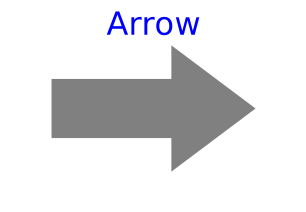
modelArrow
Information
Model Arrow defines an arrow that is dynamically visualized at the defined location (see variables below). If you want an arrow representing something that is not a relative position, use Vector instead.
The dialog variables R, r, r_tail, r_head, color,
specularCoefficient, and headAtOrigin
are declared as (time varying) input variables.
If the default equation is not appropriate, a corresponding
modifier equation has to be provided in the
model where an Arrow instance is used, e.g., in the form
Visualizers.Advanced.Arrow arrow(r_head = {sin(time),cos(time},0});
Variable color is an Integer vector with 3 elements,
{r, g, b}, and specifies the color of the shape.
{r, g, b} are the "red", "green" and "blue" color parts.
Note, r, g and b are given in the range 0 … 255.
The predefined type
MultiBody.Types.Color
contains a menu definition of the colors used in the MultiBody
library together with a color editor.
Parameters
| Type | Name | Default | Description |
|---|---|---|---|
| Types.VectorQuantity | quantity | Types.VectorQuantity.RelativePosition | Kind of physical quantity represented by the vector |
Components
| Type | Name | Default | Description |
|---|---|---|---|
| Frames.Orientation | R | Frames.nullRotation() | Orientation object to rotate the world frame into the arrow frame |
| SI.Position[3] | r | {0, 0, 0} | Position vector from origin of world frame to origin of arrow frame, resolved in world frame |
| SI.Position[3] | r_tail | {0, 0, 0} | Position vector from origin of arrow frame to arrow tail, resolved in arrow frame |
| Real[3] | r_head | {0, 0, 0} | Vector from arrow tail to the head of the arrow, resolved in arrow frame |
| Types.Color | color | Modelica.Mechanics.MultiBody.Types.Defaults.ArrowColor | Color of arrow |
| Types.SpecularCoefficient | specularCoefficient | world.defaultSpecularCoefficient | Material property describing the reflecting of ambient light (= 0 means, that light is completely absorbed) |
| Boolean | headAtOrigin | false | = true, if the vector is pointing towards the origin of vector frame |