
modelLossyGearDemo2
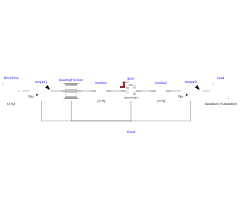
Extends from Modelica.Icons.Example (Icon for runnable examples).
Information
This model contains bearing friction and gear friction (= efficiency). If both friction models are stuck, there is no unique solution. Still a reliable Modelica simulator should be able to handle this situation.
Simulate for about 0.5 seconds. The friction elements are in all modes (forward and backward rolling, as well as stuck).
You may plot:
Inertia1.w,
Inertia2.w          : angular velocities of inertias
powerLoss           : power lost in the gear
bearingFriction.mode:  1 = forward rolling
                       0 = stuck (w=0)
                      -1 = backward rolling
gear.mode           :  1 = forward rolling
                       0 = stuck (w=0)
                      -1 = backward rolling
Note, powerLoss (= sum of the power flows of the connectors) and
gear.powerLoss (= gear.tau_loss*gear.w_a,
where gear.tau_loss is determined in a non-trivial way
from the stuck/sliding situation of the bearing and teeth friction;
= equation (16) in [Pelchen2002])
should be identical, or the difference should be close to zero, if model
LossyGear
is correctly implemented.
Note: This combination of LossyGear and BearingFriction is not recommended to use, as component LossyGear includes the functionality of component BearingFriction (only peak not supported).
Components
| Type | Name | Default | Description |
|---|---|---|---|
| SI.Power | PowerLoss | gear.flange_a.tau*der(gear.flange_a.phi) + gear.flange_b.tau*der(gear.flange_b.phi) | Power lost in the gear |
| Rotational.Components.LossyGear | gear | ||
| Rotational.Components.Inertia | Inertia1 | ||
| Rotational.Components.Inertia | Inertia2 | ||
| Rotational.Sources.Torque | torque1 | ||
| Rotational.Sources.Torque | torque2 | ||
| Modelica.Blocks.Sources.Sine | DriveSine | ||
| Modelica.Blocks.Sources.Ramp | load | ||
| Rotational.Components.BearingFriction | bearingFriction | ||
| Rotational.Components.Fixed | fixed |