
modelIEEE421
SMIB system to learn how to use the data set records (IEEE421.5 standard)
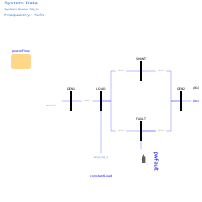
Extends from OpenIPSL.Tests.BaseClasses.SMIB (SMIB - Single Machine Infinite Base system with one load.).
Information
This example demonstrates the use of records with synchronous machine, excitation system, and power system stabilizer parameters, based on data sets published in [IEEE2005]. The generator group for this example includes a GENSAE machine together with an ESST1A excitation system model and a PSS2B PSS model.
Instructions
Please start by completing the 3 first steps of the instructions in
GenerationGroup.Generator1.
A OpenIPSL.Data.PowerPlant.GUDynamics record must be dragged and
dropped into that model and its GUnitDynamics parameter must be
propagated before continuing with the following steps:
- Open the parameter window of the generation group component.
- Choose the appropriate parameter data set for the generating unit dynamics
from the
GUnitDynamicsdropdown list. To do this, double-click thegenerator1component. Then, expand the drop-down list of theGUnitDynamicsparameter. Finally, choose the IEEE421.5 ST1A Type Excitation System Model Data Set 1 option. - Choose the right data set for the
powerFlowrecord. The procedure is very similar as in the previous step. This time just expand the drop-down list of thePowerFlowparameter of thepowerFlowrecord. Choose the PF solutions forPload = 50 MWoption. - Insert component references to the
powerFlowrecord to define the initial power flow values. This has to be done for the following components:- generator1:
P_0=powerFlow.powerFlow.machines.PG1;Q_0=powerFlow.powerFlow.machines.QG1;v_0=powerFlow.powerFlow.bus.v1;angle_0=powerFlow.powerFlow.bus.A1. - gENCLS:
P_0=powerFlow.powerFlow.machines.PG2;Q_0=powerFlow.powerFlow.machines.QG2;v_0=powerFlow.powerFlow.bus.v2;angle_0=powerFlow.powerFlow.bus.A2. - constantLoad:
P_0=powerFlow.powerFlow.loads.PL1;Q_0=powerFlow.powerFlow.loads.QL1;v_0=powerFlow.powerFlow.bus.v3;angle_0=powerFlow.powerFlow.bus.A3.
- generator1:
- Go back to the instructions in
GenerationGroup.Generator1and follow step 4.
Components
| Type | Name | Default | Description |
|---|---|---|---|
| OpenIPSL.Electrical.Branches.PwLine | pwLine (from SMIB) | ||
| OpenIPSL.Electrical.Branches.PwLine | pwLine3 (from SMIB) | ||
| OpenIPSL.Electrical.Branches.PwLine | pwLine4 (from SMIB) | ||
| OpenIPSL.Electrical.Machines.PSSE.GENCLS | gENCLS (from SMIB) | ||
| OpenIPSL.Electrical.Loads.PSSE.Load_variation | constantLoad (from SMIB) | ||
| OpenIPSL.Electrical.Events.PwFault | pwFault (from SMIB) | ||
| OpenIPSL.Electrical.Buses.Bus | GEN1 (from SMIB) | ||
| OpenIPSL.Electrical.SystemBase | SysData (from SMIB) | ||
| OpenIPSL.Electrical.Buses.Bus | LOAD (from SMIB) | ||
| OpenIPSL.Electrical.Buses.Bus | GEN2 (from SMIB) | ||
| OpenIPSL.Electrical.Buses.Bus | FAULT (from SMIB) | ||
| Electrical.Branches.PwLine | pwLine1 (from SMIB) | ||
| Electrical.Branches.PwLine | pwLine2 (from SMIB) | ||
| Electrical.Buses.Bus | SHUNT (from SMIB) | ||
| GenerationGroup.Generator1 | generator1 | ||
| PFData.PowerFlow | powerFlow |