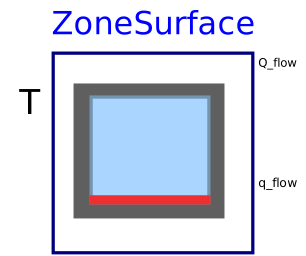
modelZoneSurface

Extends from Buildings.ThermalZones.EnergyPlus_24_2_0.BaseClasses.PartialEnergyPlusObject (Partial definitions of an EnergyPlus object), Buildings.ThermalZones.EnergyPlus_24_2_0.BaseClasses.Synchronize.ObjectSynchronizer (Block that synchronizes an object).
Information
Block that sends for a room-side facing surface its temperature to EnergyPlus and receives the room-side heat flow rate from EnergyPlus.
This model writes at every EnergyPlus zone time step the value of the input T
to an EnergyPlus surface object with name surfaceName,
and produces at the output Q_flow
the net heat flow rate added to the surface from the air-side.
This heat flow rate consists of
- convective heat flow rate,
- absorbed solar radiation, and
- absorbed infrared radiation minus emitted infrared radiation.
By convention, Q_flow > 0 if there is net heat flow rate from the thermal zone to the surface,
e.g., if the surface cools the thermal zone.
The output q_flow is equal to q_flow = Q_flow/A, where
A is the area of the heat transfer surface as obtained from EnergyPlus.
Note that for most applications that require interfacing the front-facing and back-side facing surface with the building model, the model Buildings.ThermalZones.EnergyPlus_24_2_0.OpaqueConstruction is easier to use.
Usage
This model is typically used for a radiant slab above soil if the ground heat transfer is also modeled in Modelica. Consider an EnergyPlus input data file that has the following entry:
  BuildingSurface:Detailed,
    Living:Floor,            !- Name
    FLOOR,                   !- Surface Type
    FLOOR:LIVING,            !- Construction Name
    LIVING ZONE,             !- Zone Name
    Surface,                 !- Outside Boundary Condition
    Living:Floor,            !- Outside Boundary Condition Object
    NoSun,                   !- Sun Exposure
    NoWind,                  !- Wind Exposure
    0,                       !- View Factor to Ground
    4,                       !- Number of Vertices
    0,       0,     0,       !- X,Y,Z ==> Vertex 1 {m}
    0,      10.778, 0,       !- X,Y,Z ==> Vertex 2 {m}
    17.242, 10.778, 0,       !- X,Y,Z ==> Vertex 3 {m}
    17.242,  0,     0;       !- X,Y,Z ==> Vertex 4 {m}
To set the temperature of this surface, this model can be used as
Buildings.ThermalZones.EnergyPlus_24_2_0.ZoneSurface flo(surfaceName="Living:Floor");
The temperature of this surface will then be set to the value received
at the connector T, and the net heat flow rate
received from the thermal zone is produced at the output Q_flow.
The output q_flow = Q_flow / A is the heat flux
per unit area of the surface.
The model Buildings.ThermalZones.EnergyPlus_24_2_0.Examples.SingleFamilyHouse.HeatPumpRadiantHeatingGroundHeatTransfer illustrates this use. Note that if the ground heat transfer were modeled in EnergyPlus, then Buildings.ThermalZones.EnergyPlus_24_2_0.OpaqueConstruction should have been used, which is simpler to setup.
Parameters
| Type | Name | Default | Description |
|---|---|---|---|
| String | surfaceName | Surface unique name in the EnergyPlus idf file | |
| Modelica.Units.SI.Area | A | Surface area |
Connectors
| Type | Name | Default | Description |
|---|---|---|---|
| Modelica.Blocks.Interfaces.RealInput | T | Surface temperature | |
| Modelica.Blocks.Interfaces.RealOutput | Q_flow | Net heat flow rate from the thermal zone to the surface (positive if surface is cold) | |
| Modelica.Blocks.Interfaces.RealOutput | q_flow | Net heat flux from the thermal zone to the surface (positive if surface is cold) |
Components
| Type | Name | Default | Description |
|---|---|---|---|
| Buildings.ThermalZones.EnergyPlus_24_2_0.Building | building (from PartialEnergyPlusObject) | Building-level declarations | |
| SynchronizeBuilding | synBui (from ObjectSynchronizer) | Model that synchronize the Spawn objects |
Revisions
-
February 9, 2021, by Michael Wetter:
First implementation.
This is for issue 2358.