
modelLcd
The microcontroller writes two lines to a 20x2 display through a real serial link; the display shows them on its icon with scrolling
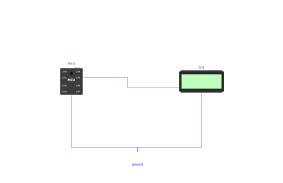
Extends from Modelica.Icons.Example (Icon for runnable examples).
Information
To be compared directly with Examples.Display.Demo, which shows the same kind of text through the logical link machine.Display. The visual result is identical, the path is not at all:
Display.Demo: the message is delivered in one block at the sync point, with no duration nor voltage. Handy, but nothing to probe.Uart.Lcd: the text goes through a real wire, one character every 1.04 ms at 9600 baud. Plottingmcu.GP5.vshows each character leaving bit by bit, and the line feed is what triggers the display.
Setting the baud rate of the display to a value other than the microcontroller's makes wrong characters appear on the screen — the exact symptom of a configuration mismatch on a real circuit, reproduced here without hardware.
Components
| Type | Name | Default | Description |
|---|---|---|---|
| MCU | mcu | scriptPath = Resources/Scripts/MCU/uart_lcd.py | |
| MicroPythonMCU.Peripherals.UartLcd20x2 | lcd | Shows the lines received on its RX pin | |
| Modelica.Electrical.Analog.Basic.Ground | ground |