modelPlanarWorldIn3D

Information
Model PlanarWorld defines all possible general parameters to make parameterization of models much more convenient. It has the following functionalities.
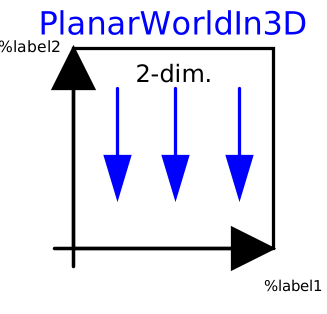
- It defines the global coordinate system fixed in ground and shows the x, y, z axes in animation if wanted.
- It contains all default parameters for animation, e.g. axis diameter, default joint length etc, which can still be overwritten by setting parameters in these models.
- It provides the default gravity definition and its animation.
The planar world can optionally be coupled to a 3D-Multibody connector. This will affect visualization mainly. Beware! The physics of the planar world presume the inertial system to be non-accelerated. When connecting to an accelerated MultiBody connector the physical forces going along with this acceleration are thus neglected.
For physical coupling between 2D and 3D system use Interfaces.PlanarToMultiBody
The gravity vector can be inherited from the MultiBody world component. In this case, the vector is determined once for the origin of the planar world system and then applied to all body components (if enabled there, as default).
Parameters
| Type | Name | Default | Description |
|---|---|---|---|
| Gravity | |||
| Boolean | inheritGravityFromMultiBody | false | =true if gravity vector shall be inherited from 3D world model |
| SI.Acceleration | constantGravity | {0, -9.81} | Constant gravity acceleration vector resolved in world frame |
| Animation (General) | |||
| Boolean | connectToMultiBody | false | = true when visualization of the planar world shall be connected to a 3D multibody system |
| Boolean | enableAnimation | true | = true, if animation of all components is enabled |
| Boolean | animateWorld | true | = true, if world coordinate system shall be visualized |
| Boolean | animateGravity | true | = true, if gravity field shall be visualized (acceleration vector or field center) |
| String | label1 | "x" | Label of horizontal axis in icon |
| String | label2 | "y" | Label of vertical axis in icon |
| Animation › If animateWorld = true | |||
| SI.Length | axisLength | nominalLength/2 | Length of world axes arrows |
| SI.Diameter | axisDiameter | axisLength/defaultFrameDiameterFraction | Diameter of world axes arrows |
| Boolean | axisShowLabels | true | = true, if labels shall be shown |
| MB.Types.Color | axisColor_x | Types.Defaults.FrameColor | Color of x-arrow |
| MB.Types.Color | axisColor_y | axisColor_x | Color of y-arrow |
| MB.Types.Color | axisColor_z | axisColor_x | Color of z-arrow |
| Animation › If animateGravity = true | |||
| SI.Position[2] | gravityArrowTail | {0, 0} | Position vector from origin of world frame to arrow tail, resolved in world frame |
| SI.Length | gravityArrowLength | axisLength/2 | Length of gravity arrow |
| SI.Diameter | gravityArrowDiameter | gravityArrowLength/defaultWidthFraction | Diameter of gravity arrow |
| MB.Types.Color | gravityArrowColor | {0, 180, 0} | Color of gravity arrow |
| Defaults | |||
| SI.Length | defaultZPosition | 0 | Default for z positions of all the elements |
| SI.Length | nominalLength | 1 | "Nominal" length of PlanarMechanics |
| SI.Length | defaultJointLength | nominalLength/10 | Default for the fixed length of a shape representing a joint |
| SI.Length | defaultJointWidth | nominalLength/10 | Default for the fixed width of a shape representing a joint |
| SI.Diameter | defaultBodyDiameter | nominalLength/9 | Default for diameter of sphere representing the center of mass of a body |
| Real | defaultWidthFraction | 20 | Default for shape width as a fraction of shape length (e.g., for Parts.FixedTranslation) |
| SI.Diameter | defaultArrowDiameter | nominalLength/40 | Default for arrow diameter (e.g., of forces, torques, sensors) |
| SI.Length | defaultForceLength | nominalLength/10 | Default for the fixed length of a shape representing a force (e.g., damper) |
| SI.Length | defaultForceWidth | nominalLength/20 | Default for the fixed width of a shape representing a force (e.g., spring, bushing) |
| Real | defaultFrameDiameterFraction | 40 | Default for arrow diameter of a coordinate system as a fraction of axis length |
| MB.Types.SpecularCoefficient | defaultSpecularCoefficient | 0.7 | Default reflection of ambient light (= 0: light is completely absorbed) |
| Real | defaultN_to_m | 1000 | Default scaling of force arrows (length = force/defaultN_to_m) |
| Real | defaultNm_to_m | 1000 | Default scaling of torque arrows (length = torque/defaultNm_to_m) |
Connectors
| Type | Name | Default | Description |
|---|---|---|---|
| MB.Interfaces.Frame_a | MBFrame_a |
Components
| Type | Name | Default | Description |
|---|---|---|---|
| SI.Position[3] | r_0 | Position vector from world frame to the connector frame origin, resolved in world frame | |
| MB.Frames.Orientation | R | Orientation object to rotate the world frame into the connector frame | |
| SI.Acceleration | g | Constant gravity acceleration vector resolved in world frame |
Revisions
 Developed 2010 at the DLR Institute of System Dynamics and Control