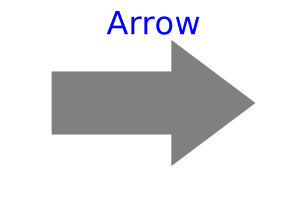
modelArrow
Visualizing an arrow with variable size; all data have to be set as modifiers (see info layer)
Information
Model Arrow defines an arrow that is dynamically visualized at the defined location (see variables below).
The dialog variables R, r, r_tail,
r_head, diameter, color
and specularCoefficient
are declared as (time varying) input variables.
If the default equation is not appropriate, a corresponding
modifier equation has to be provided in the
model where an Arrow instance is used, e.g., in the form
Visualizers.Advanced.Arrow arrow(diameter = sin(time));
Variable color is a RGB color space given in the range 0 .. 255. Predefined colors from Types.Defaults are used throughout the library to get a coherent visualization.
Components
| Type | Name | Default | Description |
|---|---|---|---|
| MB.Frames.Orientation | R | MB.Frames.nullRotation() | Orientation object to rotate the planarWorld frame into the arrow frame |
| SI.Position[3] | r | {0, 0, 0} | Position vector from origin of planarWorld frame to origin of arrow frame, resolved in planarWorld frame |
| SI.Position[3] | r_tail | {0, 0, 0} | Position vector from origin of arrow frame to arrow tail, resolved in arrow frame |
| SI.Position[3] | r_head | {0, 0, 0} | Position vector from arrow tail to the head of the arrow, resolved in arrow frame |
| SI.Diameter | diameter | planarWorld.defaultArrowDiameter | Diameter of arrow line |
| SI.Length | headDiameter | diameter*PlanarMechanics.Types.Defaults.ArrowHeadWidthFraction | Diameter of arrow head |
| SI.Length | headLength | diameter*PlanarMechanics.Types.Defaults.ArrowHeadLengthFraction | Length of arrow head |
| MB.Types.Color | color | PlanarMechanics.Types.Defaults.ArrowColor | Color of arrow |
| MB.Types.SpecularCoefficient | specularCoefficient | planarWorld.defaultSpecularCoefficient | Material property describing the reflecting of ambient light (= 0 means, that light is completely absorbed) |