modelWheel
Information
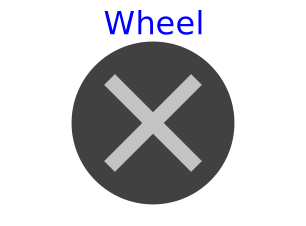
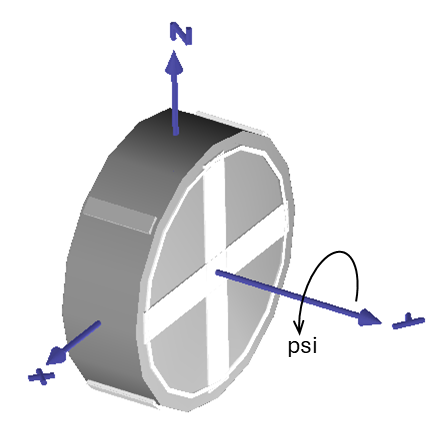
This shape provides a simple visualization of a wheel. The center of the wheel is
located by position vector r. Its orientation is given by the orientation
object R, whereby wheel's spin axis points in y direction
of R and its middle plane is in the x-z plane
of R. The wheel's rotation about its spin axis, i.e. about axis y
of R, can be realized directly by the input psi.
The dialog variables R, r, psi,
radius, rRim, width, color
and specularCoefficient
are declared as (time varying) input variables.
If the default equation is not appropriate, a corresponding modifier equation has to be
provided in the model where the shape instance is used.
Variable color is a RGB color space given in the range 0 .. 255. Predefined colors from Types.Defaults are used throughout the library to get a coherent visualization.
Components
| Type | Name | Default | Description |
|---|---|---|---|
| MB.Frames.Orientation | R | MB.Frames.nullRotation() | Orientation object to rotate the world frame into the wheel frame |
| SI.Position[3] | r | {0, 0, 0} | Position vector from origin of world frame to origin of wheel frame, resolved in world frame |
| SI.Angle | psi | 0 | Angle of wheel rotation about its spin axis |
| SI.Length | radius | 0.3 | Wheel radius |
| SI.Length | rRim | 0.9*radius | Rim radius |
| SI.Length | width | 0.6*radius | Wheel width |
| MB.Types.Color | color | PlanarMechanics.Types.Defaults.WheelColor | Color of shape |
| MB.Types.SpecularCoefficient | specularCoefficient | 0.7 | Reflection of ambient light (= 0: light is completely absorbed) |
| MB.Visualizers.Advanced.Shape | cylinder | ||
| MB.Visualizers.Advanced.Shape | tread1 | ||
| MB.Visualizers.Advanced.Shape | tread2 | ||
| MB.Visualizers.Advanced.Shape | rim | ||
| MB.Visualizers.Advanced.Shape | rimSpoke1 | ||
| MB.Visualizers.Advanced.Shape | rimSpoke2 |