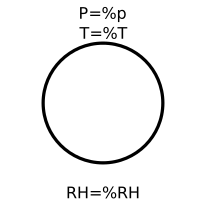
modelAtmosphere

Information
This components supplies boundaries with prescribed temperature, pression and composition.
If use_p_in is false (default option), the p parameter is used as boundary pressure, and the p_in input connector is disabled.
if use_p_in is true, then the p parameter is ignored, and the value provided by the input connector is used instead.
The same thing goes for the temperature and composition.
Note, that boundary temperature and mass fractions have only an effect if the mass flow is from the boundary into the port. If mass is flowing from the port into the boundary, the boundary definitions, with exception of boundary pressure, do not have an effect.
This module has been developped to be used with an Air or Moist air Media. Indeed, specific function are required when modelling moist air. When modelling Moist Air, the atmosphere component can supply an over saturated ambiance (meanning that the ambiance contains liquid water = foggy).
Parameters
| Type | Name | Default | Description |
|---|---|---|---|
| Boolean | use_p_in | false | Get the pressure from the input connector |
| Boolean | use_T_in | false | Get the temperature from the input connector |
| Boolean | use_RH_in | false | Get the relative humidity from the input connector |
| Modelica.SIunits.Temperature | T | 293.15 | Atmosphere temperature |
| Modelica.SIunits.Pressure | p | 101325 | Atmosphere Pressure |
| Real | RH | 0.6 | Atmosphere relative humidity - Only accounted if medium == Moist air |
| Medium.MassFraction[Medium.nX] | X | Medium.X_default | usefull except for Moist Air |
| Integer | nPorts | 0 | Number of fluidport |
Connectors
| Type | Name | Default | Description |
|---|---|---|---|
| Modelica.Fluid.Interfaces.FluidPort_a | Fluidport | ||
| TAeZoSysPro.FluidDynamics.Interfaces.FlowPort_b | Flowport | ||
| Modelica.Thermal.HeatTransfer.Interfaces.HeatPort_b | Heatport | ||
| Modelica.Blocks.Interfaces.RealInput | p_in | ||
| Modelica.Blocks.Interfaces.RealInput | T_in | ||
| Modelica.Blocks.Interfaces.RealInput | RH_in |
Components
| Type | Name | Default | Description |
|---|---|---|---|
| Medium.ThermodynamicState | state |
Contents
| Name | Description |
|---|---|
 Medium | |
 Medium_MoistAirTAezo |