
classAddingSignals
Adding signals to the bus
Extends from Modelica.Icons.Information (Icon for general information packages).
Information
This method demonstrates how to add signals to the control signal bus. To place an existing signal such as vehicle longitudinal velocity on to the signal bus in the chassis subsystem use the following process:
Working within your chassis model…
- If not already there, drag the VehicleInterfaces.Interfaces.ChassisBus connector in to the model. It should get the default name chassisBus but rename it to this if it doesn't.
- Draw a connection from this new connector to the controlBus connector.
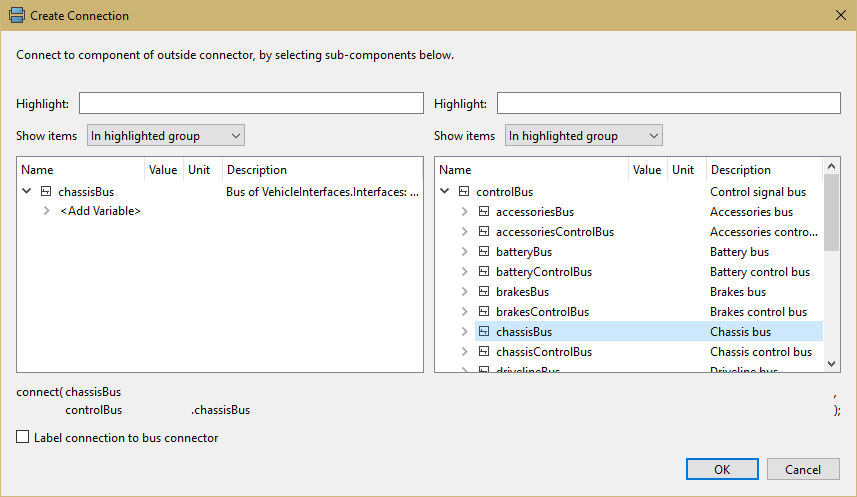
- In the connection dialog – in the figures below generated by Dymola – select
the following name: chassisBus
- Add a sensor to measure the vehicle speed and drag a connection to the chassisBus connector just added.
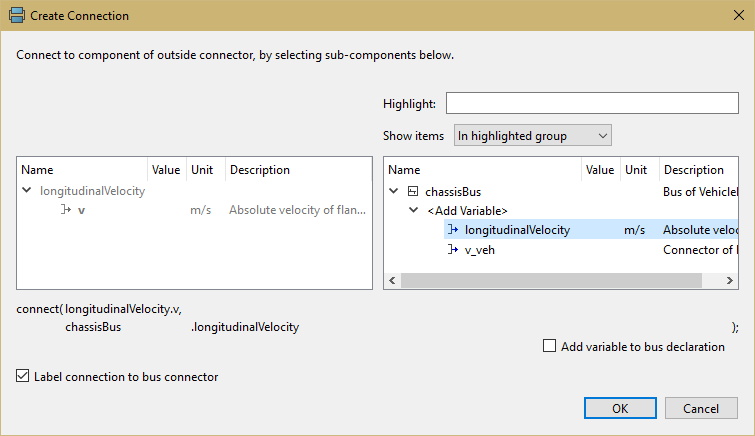
- In the connection dialog select
longitudinalVelocity from the list of options.
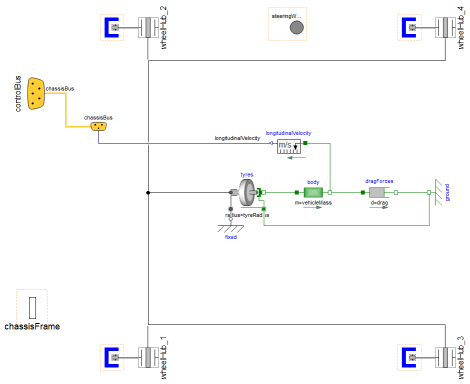
The chassis subsystem should look something like:
There are two methods for adding a new signal to the controlBus.
- You draw the connection as in step 4 above, and instead of selecting an option from the list in step 5 you would select the "Add variable" option and then type the name of the signal you would like to add to the controlBus.
- You extend from the chassisBus connector definition that can be found in VehicleInterfaces.Chassis.Internal.StandardBus and add the new signal definition. Then, when you reach steps 4 and 5 (above) your new signal will appear in the list of options and can be selected.