modelPartialBaseLine
Information
This partial model contains parameters and variables needed to parametrize a generic cable. The resistance, inductance and capacitance are computed by the functions associated to the type of cable selected. The type of cable is specified using a record that inherits from BuildingSystems.Electrical.Transmission.BaseClasses.BaseCable such as ( BuildingSystems.Electrical.Transmission.LowVoltageCables.Generic or BuildingSystems.Electrical.Transmission.MediumVoltageCables.Generic). The record contains functions that depending on the properties of cable compute its resistance, inductance or capacitance.
The model has two parameters use_C and modelMode that
change the behaviour of the model. It is possible to include the effects
of a capacity or select the model to be dynamic or steady state. More information
are available in the line models that extends this partial model.
Commercial cable mode
If mode = commercial, the user can select the type of cable from a list
of commercial cables. The cables are divided in three different categories:
- Low voltage,
- Medium voltage, and
- High voltage.
The details and type of cables can be found in BuildingSystems.Electrical.Transmission.LowVoltageCables and BuildingSystems.Electrical.Transmission.MediumVoltageCables.
Automatic cable mode
If mode = automatic, the type of cable is automatically selected
depending on the value of the parameters V_nominal and
P_nominal.
Note:
More details about the functions that compute the type of cable and its properties can be found in BuildingSystems.Electrical.Transmission.Functions.
The parameter commercialCable is assumed to be
BuildingSystems.Electrical.Transmission.LowVoltageCables.Generic.
The parameter is replaceable so it can be redeclared using a different type, for example
BuildingSystems.Electrical.Transmission.MediumVoltageCables.Generic.
The example models
BuildingSystems.Electrical.AC.ThreePhasesBalanced.Lines.Examples.ACLineMedium and
BuildingSystems.Electrical.AC.ThreePhasesBalanced.Lines.Examples.ACSimpleGridMedium
show how this can be done.
Parameters
| Type | Name | Default | Description |
|---|---|---|---|
| Modelica.Units.SI.Length | l | Length of the line | |
| Modelica.Units.SI.Power | P_nominal | Nominal power of the line | |
| Modelica.Units.SI.Voltage | V_nominal | Nominal voltage of the line | |
| Modelica.Units.SI.Frequency | f_n | 50 | Frequency considered in the definition of cables properties |
| BuildingSystems.Electrical.Transmission.LowVoltageCables.Generic | commercialCable | ||
| Modelica.Units.SI.Temperature | T_ref | commercialCable.T_ref | Reference temperature of the line |
| Modelica.Units.SI.Temperature | M | commercialCable.M | Temperature constant (R_actual = R*(M + T_heatPort)/(M + T_ref)) |
| Modelica.Units.SI.Resistance | R | commercialCable.lineResistance(l, f_n, commercialCable) | Resistance of the cable |
| Modelica.Units.SI.Inductance | L | commercialCable.lineInductance(l, f_n, commercialCable) | Inductance of the cable due to mutual and self inductance |
| Modelica.Units.SI.Capacitance | C | commercialCable.lineCapacitance(l, f_n, commercialCable) | Capacitance of the cable |
| Model › Assumptions | |||
| Boolean | use_C | false | Set to true to add a capacitance in the center of the line |
| BuildingSystems.Electrical.Types.Load | modelMode | BuildingSystems.Electrical.Types.Load.FixedZ_steady_state | Select between steady state and dynamic model |
| Model › Thermal | |||
| Boolean | use_T | false | If true, enables the input for the temperature of the cable |
| Modelica.Units.SI.Temperature | TCable | T_ref | Fixed temperature of the cable |
| Tech. specification › Auto/Manual mode | |||
| BuildingSystems.Electrical.Types.CableMode | mode | BuildingSystems.Electrical.Types.CableMode.automatic | Select if choosing the cable automatically or between a list of commercial options |
Connectors
| Type | Name | Default | Description |
|---|---|---|---|
| Modelica.Blocks.Interfaces.RealInput | T | Temperature of the cable |
Components
| Type | Name | Default | Description |
|---|---|---|---|
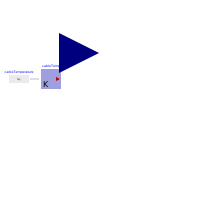
| Modelica.Thermal.HeatTransfer.Sources.PrescribedTemperature | cableTemp | Temperature of the cable | |
| Modelica.Blocks.Sources.RealExpression | cableTemperature | Temperature of the cable |
Revisions
-
September 23, 2014, by Marco Bonvini:
Revised model and documentation according to change in the structure of the cable record. -
June 3, 2014, by Marco Bonvini:
Added User's guide.