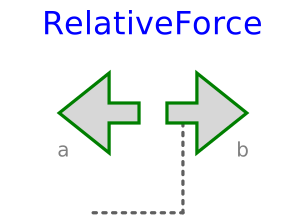
modelRelativeForce
Input signal acting as force and torque on two frames

Extends from PlanarMechanics.Interfaces.PartialTwoFrames (Partial model with two frames).
Information
The 3 signals of the force connector contain force and torque.
The first and second signal are interpreted as the x- and y-coordinates of
a force and the third is torque, acting between two frame connectors
to which frame_a and frame_b are attached respectively.
Note that torque is a scalar quantity, which is exerted perpendicular
to the x-y plane.
Parameter resolveInFrame defines in which frame the input
force shall be resolved.
| Types.ResolveInFrameB. | Meaning |
|---|---|
| world | Resolve input force in world frame (= default) |
| frame_a | Resolve input force in frame_a |
| frame_b | Resolve input force in frame_b |
| frame_resolve | Resolve input force in frame_resolve (frame_resolve must be connected) |
If resolveInFrame = Types.ResolveInFrameAB.frame_resolve, the force coordinates shall be resolved in the frame, which is connected to frame_resolve.
Parameters
| Type | Name | Default | Description |
|---|---|---|---|
| Modelica.Mechanics.MultiBody.Types.ResolveInFrameAB | resolveInFrame | Modelica.Mechanics.MultiBody.Types.ResolveInFrameAB.frame_a | Frame in which output vector r_rel shall be resolved (1: world, 2: frame_a, 3: frame_b, 4: frame_resolve) |
| Boolean | animation | true | = true, if animation shall be enabled |
| Animation › If animation = true | |||
| Real | N_to_m | planarWorld.defaultN_to_m | Force arrow scaling (length = force/N_to_m) |
| Real | Nm_to_m | planarWorld.defaultNm_to_m | Torque arrow scaling (length = torque/Nm_to_m) |
| SI.Length | zPosition | planarWorld.defaultZPosition | Position z of cylinder representing the fixed translation |
Connectors
| Type | Name | Default | Description |
|---|---|---|---|
| Frame_a | frame_a (from PartialTwoFrames) | Coordinate system fixed to the component with one cut-force and cut-torque | |
| Frame_b | frame_b (from PartialTwoFrames) | Coordinate system fixed to the component with one cut-force and cut-torque | |
| Modelica.Blocks.Interfaces.RealInput[3] | force | ||
| Interfaces.Frame_resolve | frame_resolve | Coordinate system in which vector is optionally resolved, if useExtraFrame is true |
Components
| Type | Name | Default | Description |
|---|---|---|---|
| SI.Diameter | diameter | planarWorld.defaultArrowDiameter | Has no longer an effect and is only kept for backwards compatibility (arrow visualization by Vector now) |
| MB.Types.Color | color | PlanarMechanics.Types.Defaults.ForceColor | Color of arrow |
| MB.Types.SpecularCoefficient | specularCoefficient | planarWorld.defaultSpecularCoefficient | Reflection of ambient light (= 0: light is completely absorbed) |
| Real[2,2] | R | Rotation matrix from world frame to frame_b | |
| SI.Angle | phi | Rotation angle of the additional frame_c |
Revisions
 Developed 2010 at the DLR Institute of System Dynamics and Control