Driver Environment Tutorial
Tutorial - Defining a new driver environment model
The following process will demonstrate how to create a new
driver environment model using these interface definitions. This
tutorial will guide you through building a driver environment
for a conventional passenger car with a manual
transmission.
- Create a new model that extends
VehicleInterfaces.DriverEnvironments.Interfaces.BaseManualTransmission,
it should look like this:
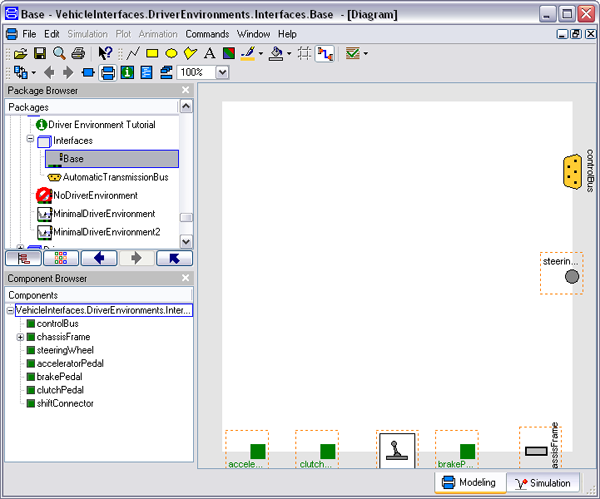
- In the component browser, right click on Base
and select Parameters from the context menu to
produce the following parameter dialog
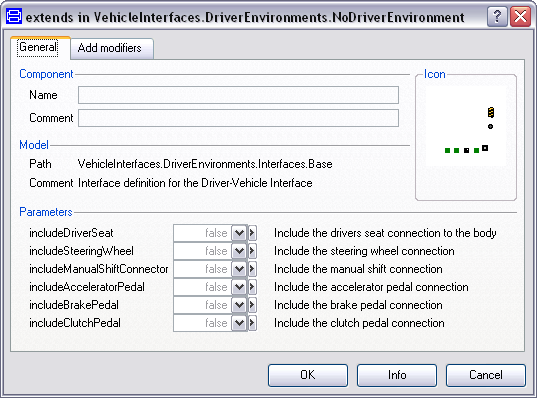
- This dialog allows you to enable/disable the optional
connections by setting the various parameters as required for your
new driver environment model.
- You can now define your driver environment model as
required
Generated at 2026-04-01T18:18:38Z by OpenModelicaOpenModelica 1.26.3 using
GenerateDoc.mos
 .VehicleInterfaces.DriverEnvironments.Tutorial